How to generate NSFW images and photos using a neural network. Learn how NSFW image generation works with neural networks and AI-generated porn photos. We'll explore popular tools for creating NSFW images, photos and videos. Everything is simple, fast and without technical complications.
When you need to quickly get realistic NSFW images without complex settings and manual rendering, NSFW image generation using neural networks is used: a text query is entered or a reference is uploaded, a model is selected, angle and lighting are fixed, and the process is started. The NSFW photo generator assembles the result based on the prompt, provides parameter control and export in the desired resolution. This approach ensures predictable quality, reproducibility and time savings.
How to create NSFW images and photos using a neural network
To get a predictable visual result, it's enough to maintain a clear sequence of actions: describing the image in the prompt, selecting the model and style, targeted adjustments via LoRA, then aspect ratio and launch. Each stage of the process builds on the previous one: a clearly defined prompt helps the model interpret the task, style forms the visual context, and additional parameters refine the details. Below is an algorithm that shows how the full generation cycle is built — from text to finished image.
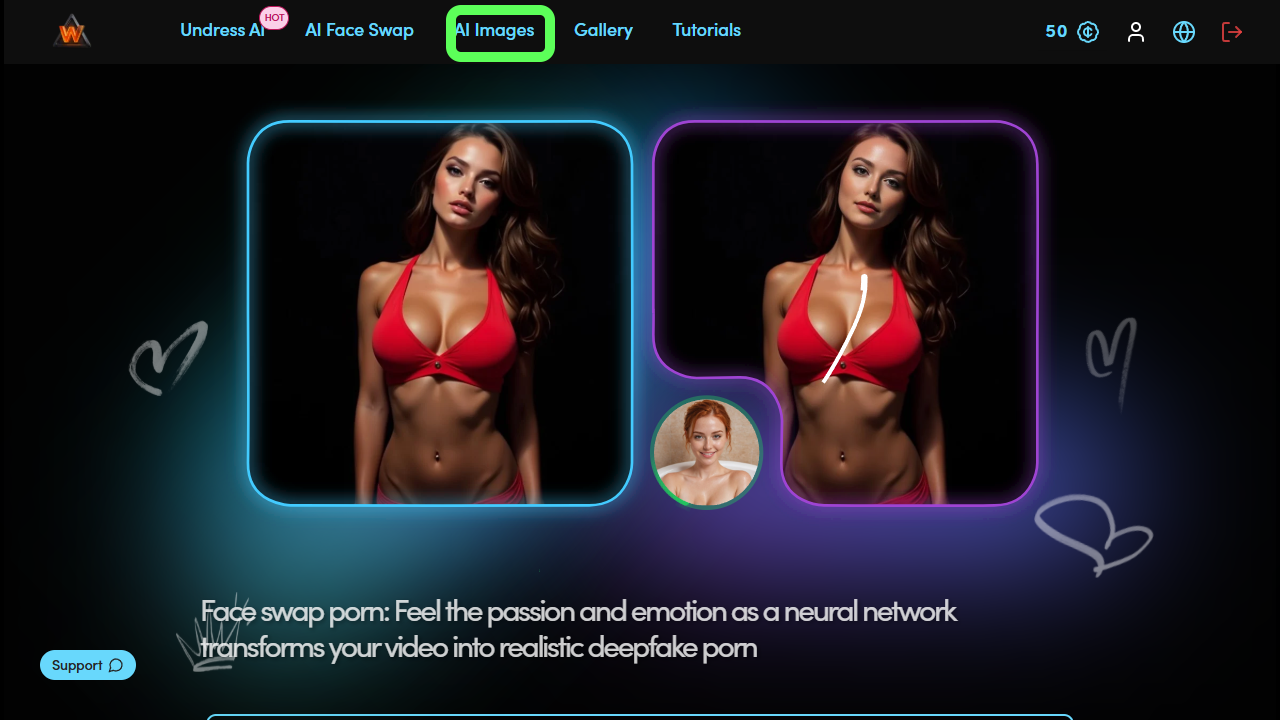
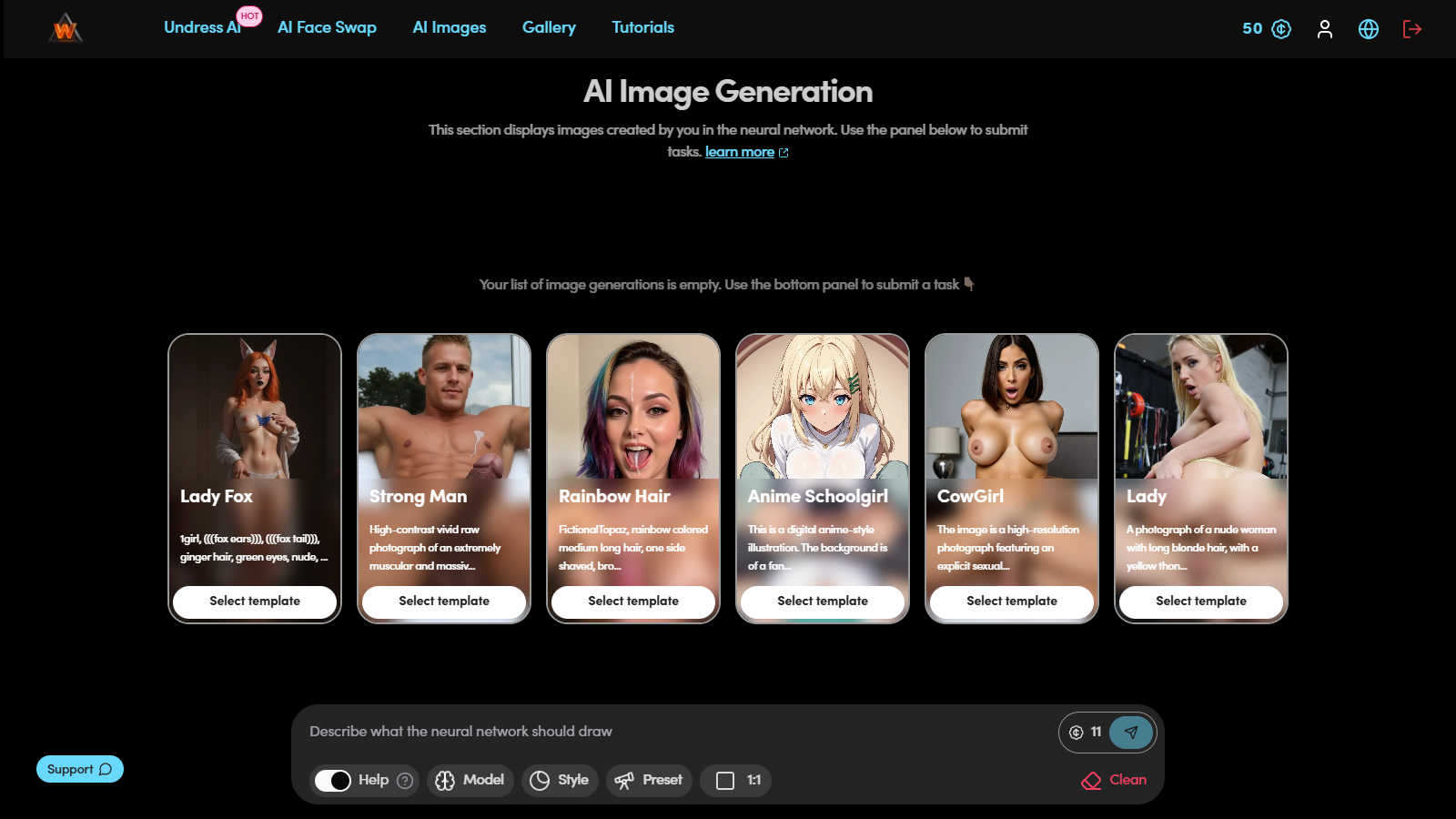
Step 1. Workspace
At this stage, the workspace opens, where all generation tools are concentrated: model selection, style, LoRA and additional parameters. This is where the main process setup takes place before launching NSFW image generation.
Step 2. Prompt formulation
The stage where key parameters of the future image are set. The goal is to describe the image so that the model reproduces the key features.
What's important to specify:
Appearance: hair color/length, eye features;
Frame and lighting: angle, lighting type, background;
Details: accessory, gesture, environmental element.
Example (neutral):
(masterpiece, best quality), 1girls, 2boy, gentle smile, long wavy chestnut hair, hazel eyes, soft warm lighting, red background, leaves drifting, detailed clothing folds, calm atmosphere, intricate details, shallow depth of field, porn, sex, hentai
Prompt breakdown
Parentheses ( … ) — increase the weight of a term: (masterpiece), (best quality). The enhancement can be doubled: ((masterpiece)) or explicitly: masterpiece:1.5.
Danbooru format tags: 1girl — one character in frame; similarly 2girls, 1boy, etc.
Other tags set facial expression, hair, lighting, background and mood.
If writing the prompt yourself is difficult, you can use the built-in Help function — it analyzes the entered text and automatically supplements it with descriptions of details, style and mood in any language. This tool allows you to properly refine requests, including those that cannot be formed through ChatGPT due to restrictions on explicit scenes.

Step 3. Model selection
The model determines the visual style and level of image detail. Each one is trained on a different dataset and has its own "handwriting": some create soft watercolor aesthetics, others — realistic images with high contrast and precise chiaroscuro.

Choosing the wrong model can distort the intended idea, so at the preparation stage it's important to test several options.
Example:
For a soft, romantic anime style, Realistic works well.
For a more contrasting and modern visual — Bento.
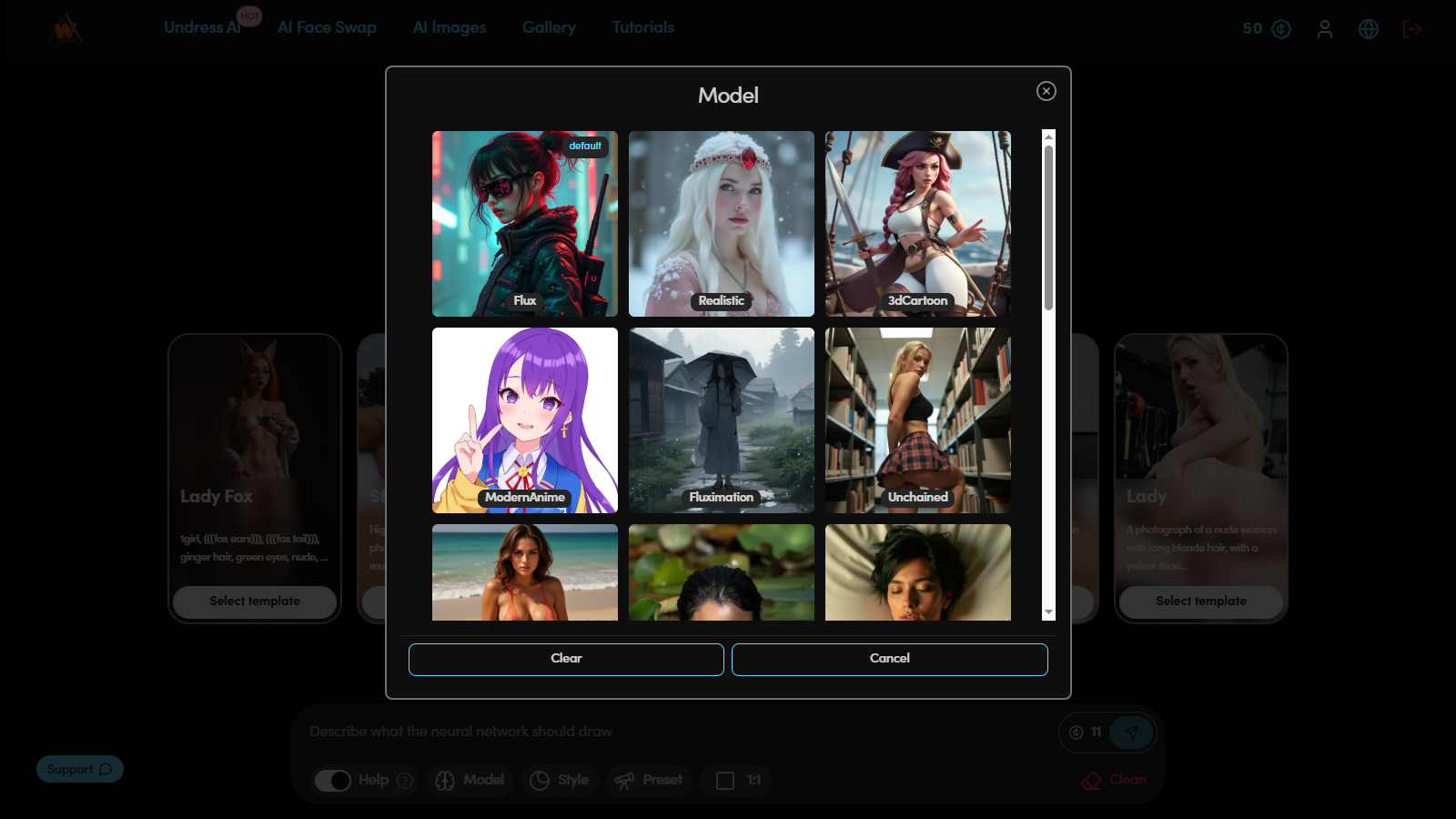
To evaluate the differences, the same prompt is used:
A cosmic priestess of impossible grace floats at the core of the Shattered Bloom Nebula, shaping gravity with a mere gesture. Her radiant, ethereal form shimmers with living constellations, each breath sending ripples of starlight through the nebula's fractured petals. Wisps of bioluminescent orchid petals swirl around her, porn, hentai, anime, sexy, erotic.
Simply run generation with two different models and compare texture, lighting treatment and line rendering. This allows you to determine which model is closer to the intended result and better conveys the visual atmosphere of the scene.
Step 4. Style selection
Style sets the visual environment and emotional tone of the image. It determines not only the background, but also the nature of lighting, color palette and scene atmosphere. The same prompt in different styles can look completely different — from realistic photography to anime frame or painterly illustration.

Purpose of style:
Clarifies context (portrait, interior, landscape, futuristic scene);
Controls perception of emotions and lighting;
Helps unify a series of images.
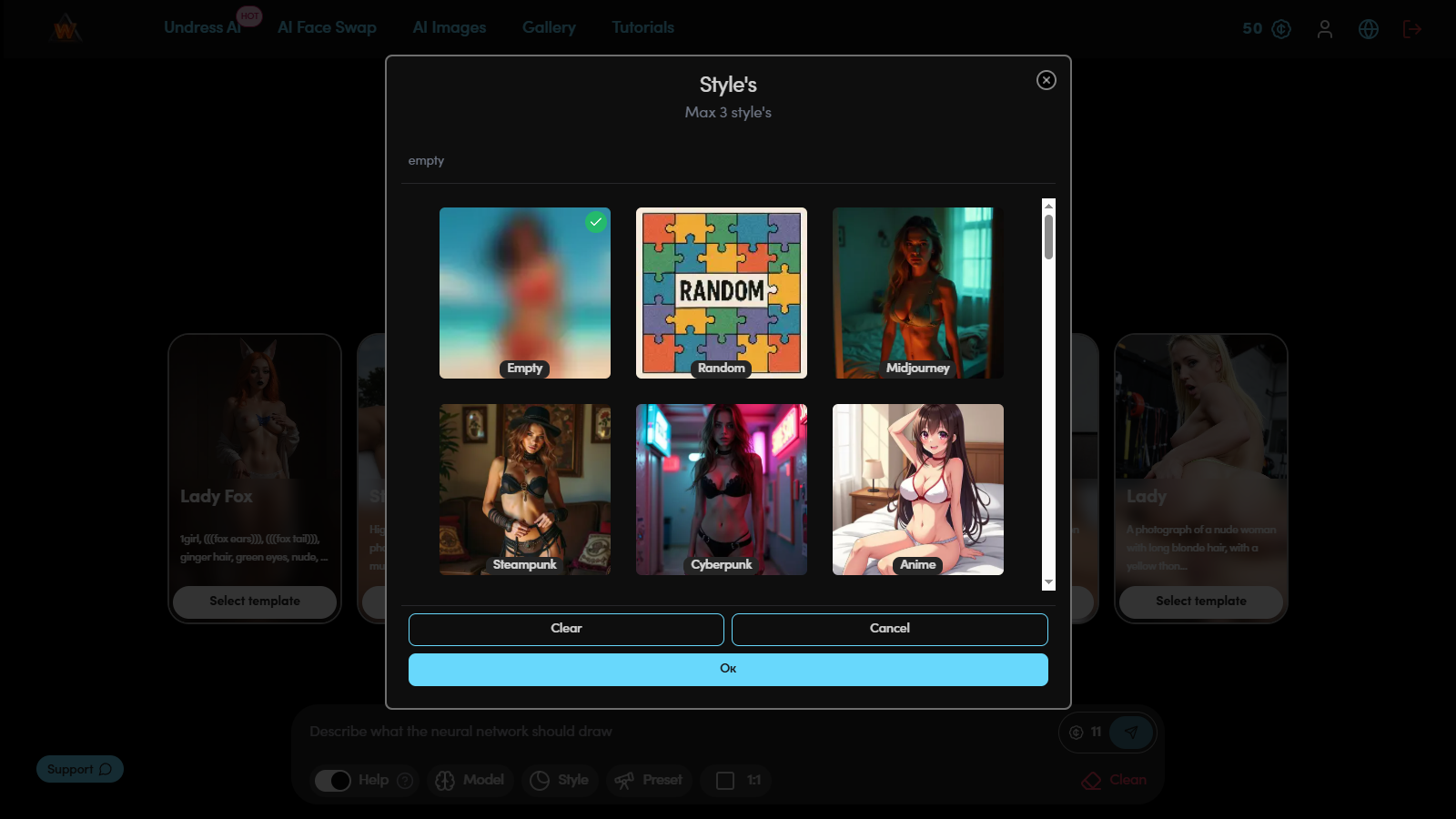
Example prompt for testing:
(masterpiece, best quality, 1girl, solo, gentle smile, long wavy pink hair in a high ponytail, heterochromia (hazel and blue eyes), round glasses, mecha pilot suit, detailed clothing folds, soft warm lighting, autumn park background, depth of field:1.1)
When changing styles, for example, from Impressionist Painting to Studio Photography or Anime Cinematic, the accents change: in the first case, the image looks softer and more textured, in the second — sharper, with clear lighting and more realistic shadows. Testing one prompt in several styles helps find the optimal visual format for further generation.
Step 5. Applying Preset (LoRA)
LoRA is used for fine-tuning visual characteristics of the image. If the model sets the general structure, then LoRA controls the details — face type, drawing style, clothing elements or shading character.

Purpose of LoRA:
Improving facial features and proportions;
Changing stylistics (anime, realism, comic, etc.);
Emphasizing individual scene elements (fabric, lighting, pose).
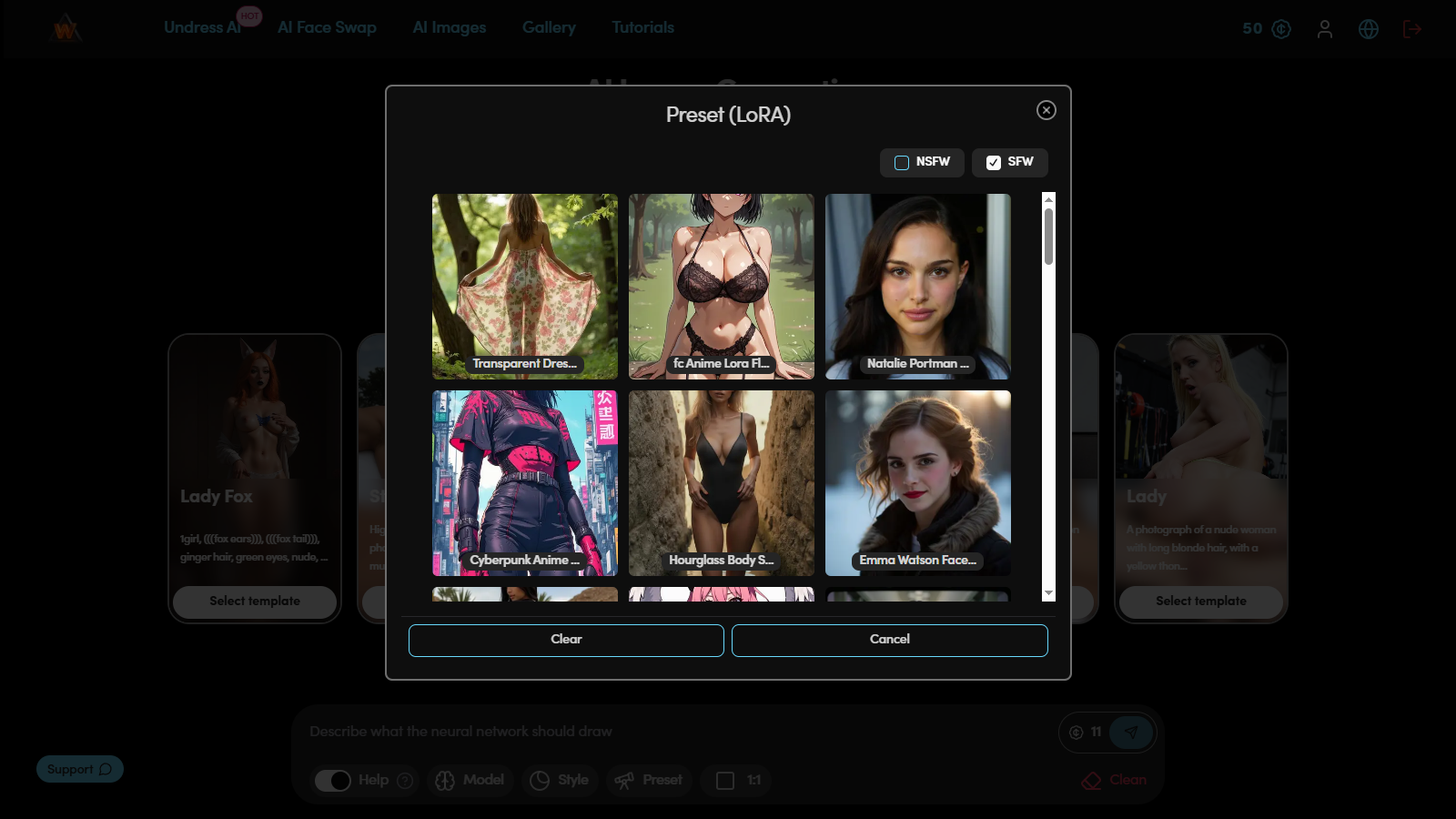
Example prompt:
(masterpiece, best quality, 1girl, solo, gentle smile, long wavy blond hair in a high ponytail, heterochromia (hazel and blue eyes), round glasses, mecha pilot suit, sheer fabric accents, detailed clothing folds, soft warm lighting, red background, depth of field:1.1)
LoRA: Dissolve Style
To evaluate the impact of LoRA, the image is generated twice — without it and with it. Comparison helps determine how much facial expression, texture or lighting, other image details have changed. With correct settings, LoRA adds expressiveness and improves visual quality without distorting the original composition.
Step 6. Aspect ratio
Aspect ratio determines frame composition and affects scene perception. This parameter sets the image format and helps direct attention to the desired details.

Main options:
9:16 — portrait format, focus on character and upper part of frame.
16:9 — wide, cinematic angle, allows showing the environment.
1:1 — balanced square format, convenient for previews and publications.
Changing the aspect ratio with the same prompt gives different results: composition, proportions and image mood noticeably change. The optimal format is selected for the task — portrait, scene, background or animated frame.
Step 7. Using templates
Templates simplify the generation process when speed and stability of results are important. These are ready-made presets where model, style and LoRA are already configured.

The user selects a template closest to the desired visual solution and changes only details — hair color, lighting, facial expression or background. This approach reduces time spent preparing the prompt and ensures predictable quality of the final image.
Checklist for stable results when generating NSFW content
Prompt includes appearance, lighting, background, emotion, details
Weight of key tags is highlighted with parentheses.
Model tested on one prompt against an alternative.
Style selected for the task, doesn't contradict the model.
LoRA don't conflict and have moderate weight.
Aspect ratio matches the purpose (portrait/preview/frame for clip).
Common mistakes when generating NSFW images and photos
Overloading with quality tags: (masterpiece, best quality) is enough.
Mixing incompatible styles: keep one leading style.
Too general prompt: add 3–4 specifics (hair, eyes, lighting, background).
Excessive number of LoRA: no more than 1–2 simultaneously.
Random AR: choose according to goal in advance.
After launching NSFW image and photo generation using a neural network, the system sequentially processes all set parameters, and the result appears on screen. At this stage, the prompt, model, style and additional settings combine into a single visual image corresponding to the original concept.
Why this works
The neural network doesn't create images randomly. It analyzes the entered parameters — lighting, angle, mood and scene details — and forms the result according to the request. Image quality directly depends on the accuracy of description and consistency of selected tools.
By mastering the full process of generating NSFW images and photos using neural networks, you can quickly create stable results, form different variants of one character or develop completely new visual images with predictable style and level of detail.